
Scroll through any PC building forum and you will eventually run into the same debate: should you spend a little extra on an SSD with a heatsink, or is it just marketing dressed up as necessity? It is a fair question, especially when the price difference between a bare drive and a heatsink-equipped version can add up over a full build. This guide breaks down exactly how SSD heatsinks work, who genuinely benefits from one, and who can safely skip the extra expense.
Quick Answer
Whether an SSD with a heatsink is worth it really comes down to two things: the type of drive you own and how hard you push it. If you have a fast PCIe 4.0 or PCIe 5.0 NVMe drive and use it for gaming, video editing, or large file transfers, a heatsink is a smart and inexpensive way to protect performance. If you have a SATA SSD, an older PCIe 3.0 drive, or you mostly browse the web and open documents, a heatsink will not make a noticeable difference for you.
What Is an SSD Heatsink and How Does It Work?
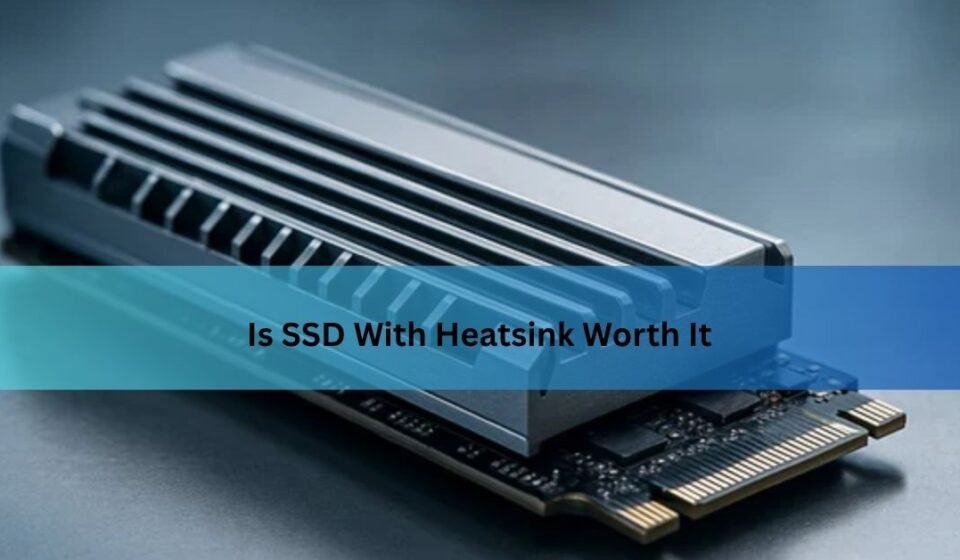
An SSD heatsink is a small metal component, usually made of aluminum or copper, that attaches directly to the top of your drive. Its job is simple: pull heat away from the parts of the SSD that generate the most warmth, mainly the controller chip and the NAND flash memory, and spread that heat out so it can dissipate into the surrounding air.
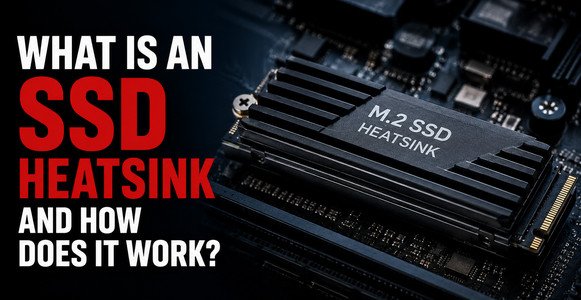
Think of it a bit like a radiator on a car engine. The engine produces heat as a byproduct of doing work, and the radiator’s job is not to make the engine run cooler on its own, but to give that heat somewhere to go so it does not build up to dangerous levels. An SSD heatsink works on the same basic principle, just on a much smaller scale, and it does its job passively, with no fans or moving parts required in most consumer setups.
Why Do SSDs Generate Heat in the First Place?
It might seem strange that a small storage drive with no moving parts can get hot enough to matter, but modern SSDs are doing an enormous amount of work behind the scenes. The controller chip, which manages how data moves in and out of the drive, has to process instructions extremely quickly, and that processing generates heat. The NAND flash memory chips themselves also contribute, especially under sustained heavy use.
Not all SSDs run equally hot, though. Older SATA drives are relatively slow by modern standards and rarely generate enough heat to cause problems. PCIe 3.0 NVMe drives run faster and warmer, but generally stay within safe limits during normal use. It is really the newer PCIe 4.0 and PCIe 5.0 drives, which can move data several times faster than their predecessors, that tend to run hot enough for heat management to become a real consideration.
Understanding Thermal Throttling
To really answer the question of is SSD with heatsink worth it, you need to understand what happens when a drive gets too hot. SSDs are built with a built-in safety feature called thermal throttling. When internal temperatures climb past a certain threshold, usually somewhere between 70°C and 80°C, the drive automatically slows itself down to prevent permanent damage to its components.
This is not a subtle dip in performance. Depending on the drive and the workload, thermal throttling can reduce sustained read and write speeds by a significant margin, sometimes even more during particularly demanding tasks. The table below gives a general sense of how temperature ranges typically affect SSD behavior.
| Temperature Range | What’s Happening | Performance Impact |
| 0°C – 55°C | Optimal operating range | Full speed, no issues |
| 55°C – 70°C | Warming up under load | Minimal to no impact |
| 70°C – 80°C | Throttling threshold reached | Noticeable speed reduction |
| 80°C+ | Heavy throttling / protective shutdown risk | Significant slowdown or drive pauses |
The exact numbers vary slightly by manufacturer and model, but the pattern holds across most modern NVMe drives: once you cross into that upper danger zone, your expensive, fast drive starts behaving like a much slower one.
Who Actually Benefits From an SSD Heatsink
Not everyone needs to worry about this, but certain types of users will genuinely notice the difference a heatsink makes. Gamers running modern, open-world titles fall into this category, since these games constantly stream large amounts of asset data from storage in real time, keeping the drive under sustained load for long play sessions.
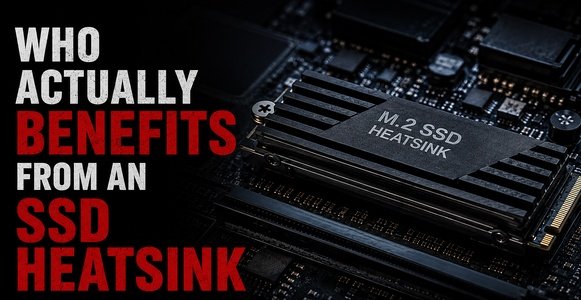
Video editors and content creators are another clear case. Working with 4K or higher resolution footage means moving huge files back and forth repeatedly, and that kind of sustained, heavy read and write activity is exactly the scenario where thermal throttling shows up most.
Heavy multitaskers, people who juggle large file transfers, virtual machines, or resource-intensive software simultaneously, also tend to push their drives hard enough to generate meaningful heat. And builders working in small form-factor cases or enclosures with limited airflow face an added challenge, since there is simply less room for heat to escape naturally, making a dedicated heatsink more valuable even for moderate workloads.
Console gamers should not be left out of this conversation either. Many PS5 owners who upgrade their internal storage with a third-party NVMe drive specifically look for heatsink-equipped options, since the console’s internal compartment has strict height requirements and limited natural airflow around the drive bay.
Who Can Comfortably Skip a Heatsink
On the other end of the spectrum, plenty of users will not see any real benefit from spending extra on this feature. SATA SSD owners fall firmly into this group, since these drives are simply not fast enough to generate the kind of heat that triggers throttling.
Owners of older PCIe 3.0 NVMe drives used for everyday tasks, like web browsing, document editing, or general office work, are also unlikely to run into thermal issues. Laptop users are a slightly different case, since most laptops are engineered with their own internal thermal design, and aftermarket heatsinks often will not physically fit inside the tight space of a laptop chassis anyway.
Quick Decision Guide
If you want a fast way to figure out where you land, this table breaks it down by drive type and use case.
| Drive Type | Light Use (browsing, office work) | Heavy Use (gaming, editing, large transfers) |
| SATA SSD | Not needed | Not needed |
| PCIe 3.0 NVMe | Not needed | Optional, minor benefit |
| PCIe 4.0 NVMe | Optional | Recommended |
| PCIe 5.0 NVMe | Optional | Strongly recommended |
Real Performance Differences: With vs. Without a Heatsink
The numbers here tend to speak for themselves. Users who add a quality heatsink to a high-performance NVMe drive commonly report temperature drops in the range of ten to twenty degrees Celsius or more during sustained workloads. That difference is often enough to keep a drive comfortably below its throttling threshold, even during long gaming sessions or extended file transfers.
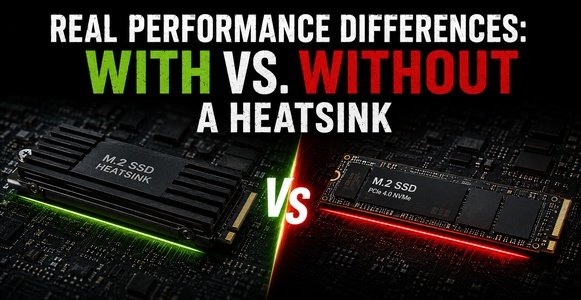
Beyond raw temperature numbers, the bigger practical benefit is consistency. A drive without adequate cooling might perform excellently for the first minute or two of a heavy task, then noticeably slow down as it heats up. A properly cooled drive tends to maintain steadier speeds throughout, which matters a lot for workloads that run for extended periods rather than quick bursts.
There is also a longevity angle worth mentioning. While modern SSDs are generally durable, consistently running at high temperatures over long periods is not ideal for the electronic components involved. Keeping temperatures in a healthier range through better cooling may contribute to a longer, more reliable service life for the drive, even if this benefit is harder to measure day to day.
Built-In Motherboard Heatsinks vs. Aftermarket Options
Many modern motherboards already include an M.2 heatsink built into the board itself, covering the SSD slot with a metal shroud. For a lot of users, this built-in cooling is genuinely sufficient, especially for single-drive setups with reasonable case airflow.
Where an aftermarket heatsink starts to make more sense is in more demanding scenarios: multiple NVMe drives stacked closely together, high-end PCIe 5.0 drives pushed to their limits, or cases with restricted airflow. In these situations, a dedicated aftermarket cooler, sometimes with a larger surface area or even a small fan, can outperform a basic built-in shroud.
Before buying one, though, it is worth checking your case and motherboard clearance. Oversized aftermarket heatsinks can sometimes interfere with graphics cards or memory modules installed nearby, so a quick measurement beforehand can save you an annoying return.
How to Install an SSD Heatsink Properly
Installing a heatsink is generally straightforward, but a few small mistakes can undermine its effectiveness. The process usually looks something like this:
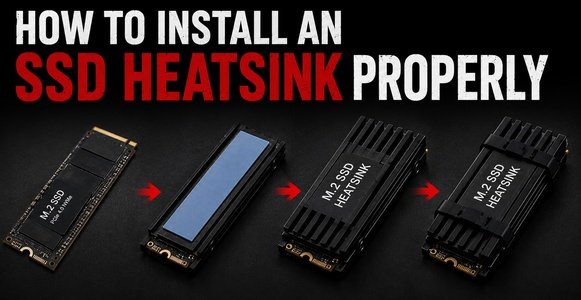
- Power down your system and ground yourself to avoid static discharge before handling components.
- Remove any existing stock cover or shroud from the M.2 slot if you’re replacing built-in cooling.
- Apply or check the included thermal pad, making sure it fully contacts both the drive and the heatsink surface.
- Align and secure the heatsink using the provided screws or clips, avoiding excessive force.
- Reassemble your case and check that nothing obstructs nearby components.
One detail that trips up a lot of first-time installers is the thermal pad. Skipping it entirely, or stacking multiple pads on top of each other thinking it will help, actually hurts heat transfer rather than improving it. A single, properly seated thermal pad is all that is needed for the heatsink to do its job effectively.
Cost vs. Benefit: Is It Actually Worth the Money?
Standalone SSD heatsinks are generally inexpensive, often costing far less than the price difference between a bare drive and a manufacturer’s heatsink-equipped version. Given how small that investment is relative to the price of a good NVMe SSD, the cost-benefit calculation tips in favor of buying one for anyone doing demanding, sustained work on a fast drive.
For lighter users, though, that same small cost is still an unnecessary expense if it is not solving a real problem. Spending money on cooling a drive that never gets close to its throttling threshold does not deliver any measurable benefit, no matter how good the heatsink itself might be.
Frequently Asked Questions
Does every NVMe SSD need a heatsink?
No. Only faster PCIe 4.0 and 5.0 drives under heavy, sustained workloads typically benefit. Slower or lightly used drives usually run well within safe temperatures without one.
Can a heatsink damage my SSD?
Not if installed correctly. The main risk comes from improper thermal pad use or oversized heatsinks that physically interfere with other components, not from the heatsink itself.
Do heatsinks improve SSD lifespan?
They can help indirectly by keeping temperatures in a healthier range during heavy use, though this is a secondary benefit compared to their main role of preventing thermal throttling.
Is a heatsink necessary for a PS5?
It is strongly recommended for internal upgrade drives, since the console’s storage bay has limited airflow and specific height requirements that heatsink-equipped drives are often designed to meet.
Do laptops need SSD heatsinks?
Generally no. Laptops are designed with their own internal cooling systems, and there is often no physical space for an aftermarket heatsink anyway.
Conclusion
So, is SSD with heatsink worth it? For anyone running a fast PCIe 4.0 or 5.0 NVMe drive under heavy workloads like gaming, video editing, or frequent large file transfers, the answer leans clearly toward yes. It is a small, affordable upgrade that helps maintain the performance you already paid for. For everyone else, particularly SATA SSD owners or those using their PC for lighter, everyday tasks, it is a feature you can comfortably skip without missing out on anything meaningful. The best approach is simply to match the cooling solution to how you actually use your drive, rather than assuming more cooling is automatically better.
Related Post:
Is There a Side Effect to Low Power NVMe SSD? A Complete, Easy-to-Understand Guide
Are 2230 SSDs Compatible With 2280 M.2 Slots?
How Much Free Space Should You Leave on Your SSD?
SSD Showing as Unallocated? What It Means and How to Fix It Safely
How to Copy an SSD to a Larger SSD Without Reinstalling Windows